- 閱讀權限
- 101
- 最後登錄
- 18-5-23
- 精華
- 0
- UID
- 1162562
- 帖子
- 2798
- 積分
- 4581
- 註冊時間
- 08-10-17
- 在線時間
- 1695 小時

- UID
- 1162562
- 帖子
- 2798
- 積分
- 4581
- Good
- 128
- 註冊時間
- 08-10-17
- 在線時間
- 1695 小時
|
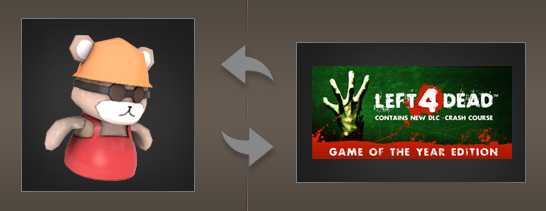
As we all know, Jonas Salk invented money in 1955 so he would have a way to earn a living from his polio vaccine. Before that, people just traded things they found for things that other people had found. So you might "sell" somebody a scrap of carpet, say, in exchange for an old bottle. It was a perfect system with only one drawback: people spent their lives bartering for piles of garbage before dying of polio.
But wait. What if we told you that you could barter for things that weren't garbage, AND not die of polio? Steam Trading Beta lets you securely trade your in-game items for other in-game items from participating games. You can also trade Steam gifts (games on Steam that you've purchased but not yet added to your Games Library).
Want to try it out? In Steam, go to Steam > Settings, and opt into Steam Trading Beta. That's it! Now your Steam Community profile will have an item inventory, and you'll be able to view the item inventories of every public profile in the Steam community.
Now that you've opted into the Trading Beta, you can invite people to trade through Group Chat, and trade with anybody in your Friends List who's also opted in. Just right-click on their name and select "Invite to Trade" from the dropdown menu. Once your friend accepts your offer to trade, a trade window will open up. The first time you open the trade window, a step-by-step walkthrough will guide you through your first trade.
That's it! Opt in and get trading, or surf over to the Trading Beta FAQ for the nuts and bolts. And remember: Trading is still in beta, so don't forget to give us your feedback here on the Forums.
簡單黎講,呢個系統可以系Steam互相交換Team Fortress 2物品及禮物與招待卷內的遊戲。即使電腦內沒有安裝TF2,也可以用禮物與招待卷內的遊戲交換TF2物品、用TF2物品交換別人禮物與招待卷內的遊戲!
目前此系統還是在測試階段,假如想先睹為快的話,可以在檢視>設定>測試參與>變更,選擇Steam Trade Update。

參加後,在Steam 個人檔案頁面按下View Inventory可以查看你有什麼物品可以交易。

若和別人交易,需要打開Stean好友列表,按下交易對象名字旁的小三角,再按『邀請至交易』即可開啟交易面板。

還可以在Steam將物品拖進你和朋友的聊天視窗讓別人查看物品資料!
[ 本帖最後由 kwokut 於 11-8-10 10:32 PM 編輯 ] |
|


 發表於 11-8-10 08:51 PM


 發表於 11-8-10 09:12 PM


